
Buying guide
How Often to Change a PETKIT Fountain Filter (and Reset It)
PETKIT filter schedule: about every 30 days in normal mode and 60 in smart mode, plus how to soak the foam and reset the filter light.
Editorial buying guide · Updated · ByPet Product Compass Editorial ·Editorial policy ·Methodology
The short answer
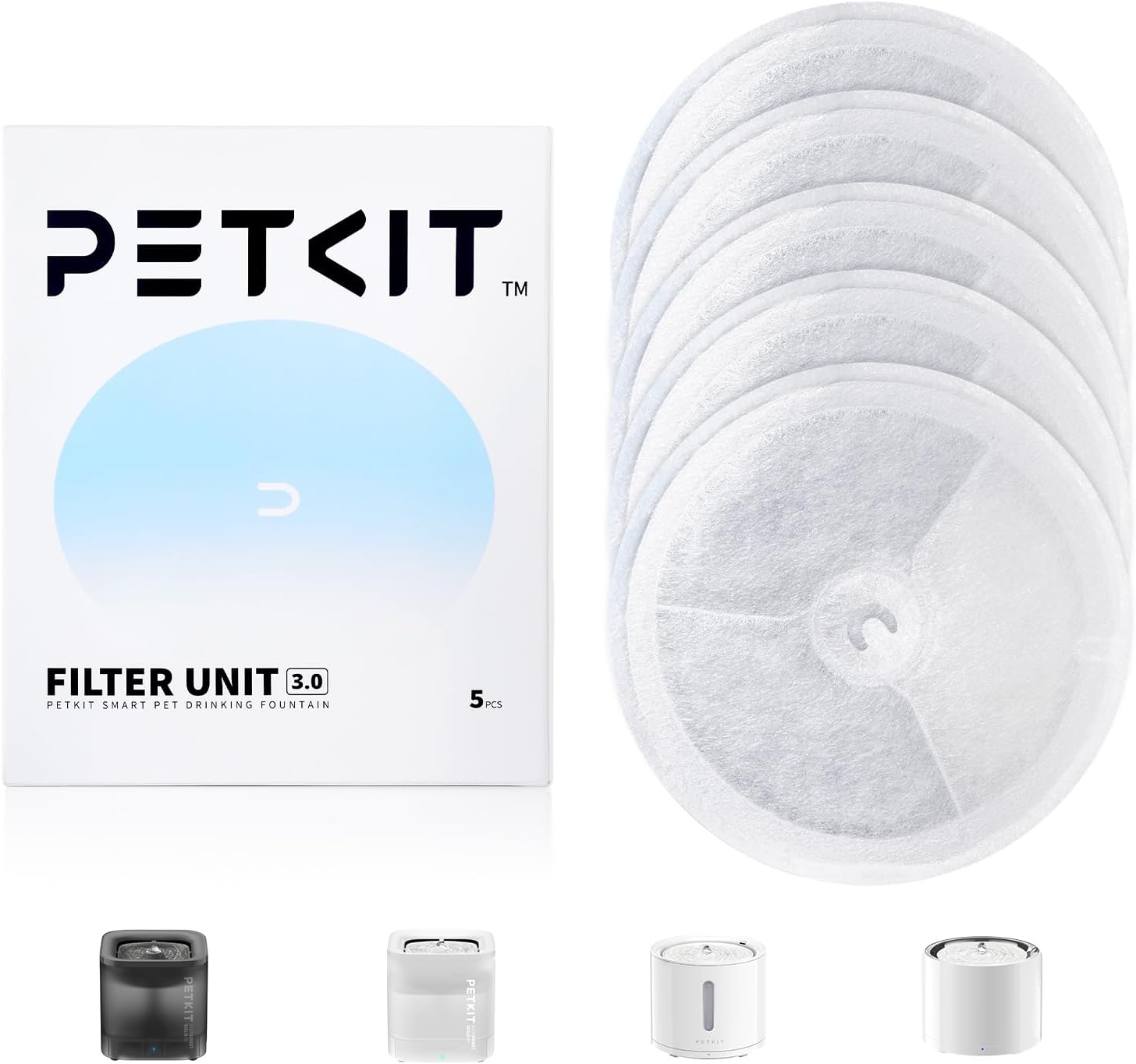
For PETKIT EverSweet-style fountains that use Filter Unit 3.0, public PETKIT documentation gives a clear starting schedule:
- Smart mode: replace the filter about every 60 days
- Normal mode: replace the filter about every 30 days
- Override rule: follow the filter indicator (and any app reminder). Actual timing depends on filter status, water conditions, and how dirty the fountain gets.
That schedule is repeated on PETKIT Canada’s Filter Unit 3.0 page and in English EverSweet manuals (including the EverSweet 3 PDF and Solo manuals republished on Manuals+). This site has not tested filter life in a lab. We are summarizing manufacturer instructions so you can set a calendar reminder that matches the mode you actually use.
If you are still choosing a fountain format—cordless vs plug-in, capacity, cleaning—start with how to choose a cat water fountain. This page assumes you already own (or are buying filters for) a compatible PETKIT fountain.
Why mode changes the interval
Smart mode and normal mode run the pump differently. Continuous or higher-duty circulation moves more water through the cartridge, so normal mode tends to hit the shorter (~30 day) window. Intermittent or sensor-linked smart operation typically stretches toward ~60 days in PETKIT’s published wording.
That is why copying a neighbor’s “I change mine every month” tip is risky. Their fountain may sit in a different mode, with different pets, harder water, or a dirtier environment. PETKIT’s own caveat is explicit: the actual replacing time depends on filter status, and the light (or app) is the tie-breaker.
What the filter light is telling you
PETKIT Canada states that when it is time to replace the filter, the filter light will flash. EverSweet 3 manual language describes a red light that indicates the filter element needs replacement, with a long-press reset after you install a new one so the timer restarts.
Practical habits that match those docs:
- When the indicator says replace, schedule the change soon—do not wait for water to look or smell “obviously bad.”
- After installing a new cartridge, reset the fountain. PETKIT Canada warns that if you skip the reset, the filter light will not go off.
- If reset fails, Solo troubleshooting copy suggests confirming that SMART/NORMAL still switches, then trying a power-cycle plus long-press reset, and contacting PETKIT support if it still sticks. Use your model’s manual for the exact button gesture.
- If the pump stopped flowing after the change (not just the light staying on), see cat water fountain not pumping water for the reseat, airlock, impeller-cleaning, and replacement-pump checks.
We have not verified every LED color or blink pattern across every EverSweet revision. When the packaging, app, and manual disagree on the gesture, prefer the booklet that shipped with your unit.
Soak, install, reset: the replace ritual
PETKIT’s public replace steps are consistent across Canada product copy and EverSweet manuals:
- Soak the new filter thoroughly before install. Recommended pattern: soak twice, about five minutes each, then rinse lightly.
- The Amazon listing for Filter Unit 3.0 (ASIN B0BVQPJRLH) also says to soak at least 10 minutes before use. Treat that as listing-specific prep that still aims at the same goal: wet the cartridge before first circulation.
- Install the cartridge in the orientation the manual shows.
- Reset the fountain so the filter life timer and indicator restart.
- Keep cleaning the tank, tray, and pump on a regular cadence. The Filter Unit 3.0 Amazon listing recommends cleaning the fountain and replacing water about weekly to protect the pump and filter. That is separate from the 30/60-day cartridge schedule. The weekly routine, including how to open the wireless pump, is in how to clean a cat water fountain.
Skipping the soak can leave dry media in the water path; skipping the reset leaves you with a permanent “change me” light even though the cartridge is new. Separate from the soak, water-temperature lines in fountain manuals are listed in can you put ice in a cat water fountain.
Filter Unit 3.0 vs foam pre-filter
Shoppers often buy the wrong spare part because PETKIT sells more than one consumable.
Filter Unit 3.0 (main cartridge)
The PETKIT Filter Unit 3.0 5-pack product record on this site (ASIN B0BVQPJRLH) is the circular multi-layer cartridge. Amazon listing compatibility wording includes EverSweet 2S, 3, 3 Pro, Solo, Solo 2, Solo SE, and related Pure Drink language. PETKIT’s own store page for Filter Unit 3.0 (model P4161) lists a narrower EverSweet 3 Pro / Solo 2 / Solo SE scope on some regional pages—match the ASIN and the compatibility list to your exact fountain before you order.
Materials described across PETKIT and retailer pages include high-density mesh or PP cotton layers, coconut-shell activated carbon, and ion-exchange resin. Those are manufacturer descriptions of what the cartridge is built from, not independent measurements of what it removes in your home water.
Foam filter 15-pack (separate pump-side part)
The PETKIT foam filter 15-pack (ASIN B0B24ZXBG7) is listed as a foam / sponge pre-filter for selected wireless-pump EverSweet models (listing names EverSweet Max, 3 Pro, Solo 2, Solo SE). The listing suggests changing foam about every 1–2 months.
That foam pack is not Filter Unit 3.0. If your fountain uses both a cartridge and a foam piece, budget for both. If your model does not use that foam shape, do not force-fit it. We do not invent cross-compatibility beyond the listing text.
How this compares with other fountain brands on this site
Gardner Pet fountain listings we cover recommend roughly monthly filter changes—for example the Vortex review and cordless review. That is a different brand’s schedule, not a PETKIT rule.
If you are deciding between cordless and plug-in Gardner Pet models, use the cordless vs Vortex comparison. Those pages do not replace PETKIT’s mode-based Filter Unit 3.0 guidance.
Still choosing a fountain? The EverSweet Solo SE and EverSweet 3 Pro both take Filter Unit 3.0. Our Gardner Pet fountain vs PETKIT EverSweet comparison includes filter upkeep for both brands.
Filter cost is part of total ownership for any fountain. A 5-pack (B0BVQPJRLH) stretches further if you mostly run smart mode and follow the indicator than if you leave the fountain in normal mode year-round. Prices change; recheck the live merchant page.
A practical calendar you can keep
- Note which mode you leave the fountain in most days (Smart vs Normal).
- Set a first reminder at day 25 (normal) or day 55 (smart) so you have filters on hand before the indicator flashes.
- When the light or app says replace, soak → install → reset the same day if you can.
- If you also use the foam pre-filter on a listed wireless-pump model, track foam on its own 1–2 month listing cadence.
- Keep weekly cleanings on a separate checklist so biofilm and hair do not make every filter look “failed” early.
Filter reminders on this calendar are separate from pump life, and how long a fountain pump lasts covers the warranty lengths and pump-cleaning intervals makers publish, since no manual read there states a lifespan in years.
Compatibility checklist before you click Buy
- Confirm your fountain’s exact model name (EverSweet 3, 3 Pro, Solo 2, Solo SE, Max, etc.).
- Confirm whether you need Filter Unit 3.0, foam, both, or a different PETKIT shape such as Filter Unit RECT (not covered by the two ASINs on this page).
- Confirm the merchant link lands on the ASIN you expect after redirect (PartnerBoost short links on this site use
uid=petproductcompass). - Ignore third-party packs that only say “fits PETKIT” without naming your model.
What this guide does not claim
- We have not lab-tested filter life, odor control, heavy-metal reduction, or urinary-health outcomes. Marketing language about “urinary health” on retailer pages is not evidence we endorse.
- We have not compared third-party cartridges against genuine PETKIT packs for authenticity or performance.
- We have not tested Gardner Pet and PETKIT filters against each other.
- Prices, stock, and app features change. Facts here are source-checked as of October 16, 2026.
Next steps
- Product records (buy buttons use PartnerBoost short links): Filter Unit 3.0 5-pack (B0BVQPJRLH) and foam 15-pack (B0B24ZXBG7) are attached to this guide’s product cards.
- Broader fountain buying framework: how to choose a cat water fountain
- Non-PETKIT examples on this site: Gardner Pet Vortex, Gardner Pet cordless, cordless vs Vortex
Product-selection path
Products referenced in this guide
Owners of a compatible PETKIT EverSweet fountain who need the main Filter Unit 3.0 cartridge and will follow the fountain's filter indicator and mode-based schedule
- Best for
- Owners of a compatible PETKIT EverSweet fountain who need the main Filter Unit 3.0 cartridge and will follow the fountain's filter indicator and mode-based schedule
- Before buying
- Confirm the current listing details.
Skip if: Your fountain uses a different PETKIT filter shape (for example Filter Unit RECT), you only need the foam pre-filter, or you do not own a listed compatible model.
What to verify before buying
Product listings can change. Check the exact variant, size, ingredient or material information, directions, warnings, seller, return terms and current availability before buying.
Last checked: 2026-10-16. This page does not present hands-on product testing.

Owners of a listed wireless-pump PETKIT fountain who need foam pre-filters for the pump path and will change them on the listing's 1–2 month guidance
- Best for
- Owners of a listed wireless-pump PETKIT fountain who need foam pre-filters for the pump path and will change them on the listing's 1–2 month guidance
- Before buying
- Confirm the current listing details.
Skip if: You only need Filter Unit 3.0 cartridges, your fountain is not on the listing's compatible wireless-pump list, or you are unsure whether your model uses this foam shape.
What to verify before buying
Product listings can change. Check the exact variant, size, ingredient or material information, directions, warnings, seller, return terms and current availability before buying.
Last checked: 2026-10-16. This page does not present hands-on product testing.
- Source: Amazon product listing (ASIN B0B24ZXBG7)
Sources
FAQ
How often should I change a PETKIT EverSweet filter?
PETKIT's public guidance for Filter Unit 3.0 / EverSweet manuals is about every 60 days in smart mode and about every 30 days in normal mode. Always follow the filter indicator light or app reminder for your exact fountain, because actual timing depends on filter status.
Do I need to soak a new PETKIT filter before installing it?
Yes. PETKIT Canada and EverSweet manuals recommend soaking a new filter thoroughly—typically twice for about five minutes each—then rinsing lightly before install. The Amazon Filter Unit 3.0 listing also says to soak at least 10 minutes. After install, reset the fountain so the filter light turns off.
Is the PETKIT foam filter the same as Filter Unit 3.0?
No. Filter Unit 3.0 is the main multi-layer cartridge. The foam 15-pack is a separate pump-side pre-filter for listed wireless-pump models. Buy the part that matches your fountain's manual; do not treat them as interchangeable.
What if the filter light stays on after I replace the filter?
PETKIT manuals say to reset the fountain after replacement; otherwise the indicator may not clear. Solo troubleshooting copy notes confirming mode switching and long-press reset after a power cycle if needed. Check your model's manual for the exact reset gesture.